Build daily sign-in and recovery as one plan. Compare passkeys, TOTP and security keys, then prepare a backup that remains usable after a lost or replaced phone.
A lost phone should not also mean losing access to your email and exchange accounts. Design daily sign-in, device replacement and recovery together. Otherwise, an enabled 2FA setting can conceal a fragile arrangement in which every credential depends on the same device.
This guide draws on FIDO and NIST authentication guidance and official account-security documentation checked on November 29, 2026.
Separate exchange access from wallet recovery
An exchange account uses account credentials and recovery methods. A self-custody wallet has a different key-recovery model. Adding 2FA to an exchange login does not protect wallet recovery words; use our seed phrase storage guide for that separate task.
Two-factor authentication combines different factor categories, such as a password you know and a registered authenticator you possess. A second password does not create the same separation. Our starting standard at KriptoMeta is practical: a strong supported login method and a verified backup route that survives losing the daily phone.
Choose a method together with its recovery path
| Method | How it works | What to plan |
|---|---|---|
| Passkey | A site-bound credential authorized with device unlock. | Synced or device-bound? Where is independent access? |
| FIDO2 security key | A compatible physical device stores the credential. | Register a second key and store it separately. |
| TOTP app | A setup secret and time generate temporary codes. | Protect the secret; do not enter codes on phishing pages. |
| SMS | A code arrives at a phone number. | The mobile account and number-transfer process are dependencies. |
CISA classifies FIDO/WebAuthn as phishing-resistant authentication. TOTP avoids reliance on SMS delivery, but a valid code entered into a fake site can be relayed. SIM swapping transfers a number to an unauthorized SIM or eSIM; a phone screen lock does not stop a carrier-account takeover. Choose a supported passkey for daily sign-in. Where passkeys are unavailable, a unique password plus TOTP adds protection beyond a password alone.
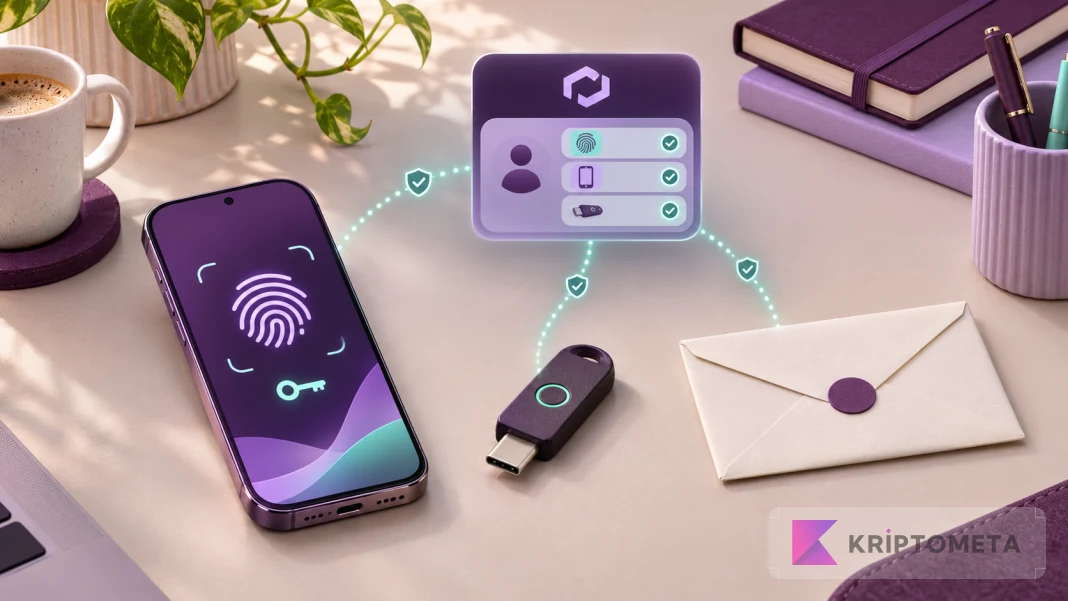
Passkey implementations can ask for different verification steps. Complete the device's user verification and the site's required checks. As FIDO explains, biometric processing stays on the device; the exchange does not receive a fingerprint image. The device PIN authorizes local key use rather than acting as an exchange password.
Secure the email account first
The inbox that resets your exchange password belongs in the same plan. Protect it with a unique password and supported passkeys or strong MFA, then inspect recovery addresses and active devices. Use our phishing checks to verify suspicious messages; start setup from a known bookmark or verified application, not an unsolicited link.
- Update the operating system and application, and enable a screen lock.
- Open the genuine exchange through a known route.
- List existing sign-in and recovery methods, including where they are stored.
- Add the new method and verify that it works.
- Remove obsolete devices or credentials only after backup access is confirmed.
Know where a new passkey is stored
Read the provider named in the creation dialog. Creating a passkey on a phone does not necessarily mean it remains only there: a credential manager can sync it. A device-bound credential does not automatically appear on a replacement device.
For a concrete example, OKX documents the app route Account settings → Security → Passkeys. After the existing security check, users can continue with the device or select a supported alternative such as a physical security key. Give each credential a recognizable name, such as “daily phone” or “home backup.” Our OKX review covers the broader account and trading decision.
A hardware security key is different from a crypto hardware wallet. One authenticates site access; the other manages wallet keys used to sign blockchain transactions, with supported features depending on the product. Follow the hardware wallet setup guide separately when that is your task.
Protect the TOTP setup secret, not just today's code
The setup QR code or text key enrolls the account in an authenticator. It enables future codes to be generated. Keep it out of support chats, email attachments, photo galleries and AI tools. Choose a protected backup supported by the provider or a separately secured offline record.
At enrollment, select the correct account entry and enter its current code on the genuine exchange page. Finish the confirmation before treating setup as complete. TOTP depends on time alignment: when a code is rejected, check automatic date and time, the selected account and whether the code just expired. Use a fresh code after correcting the cause rather than repeatedly submitting the same one.
Make the backup survive a different failure
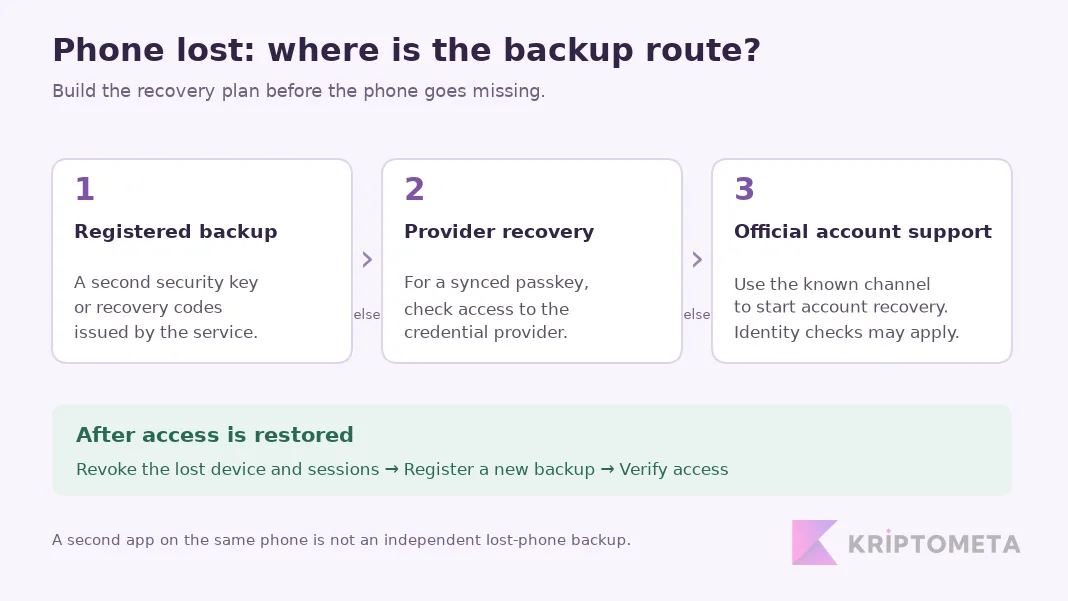
Verify independent access first, then revoke the lost device's credential.
Worked scenario: your exchange passkey, authenticator app and email session all live on one phone. Losing it removes access to all three. A second app on that phone is not a separate recovery route. An already registered second security key, or offline recovery codes issued by the service, addresses a different failure.
For synced passkeys, inspect the credential provider's own recovery requirements. A spare phone that still needs the same locked cloud account is not independent of that cloud-account failure. Keeping a password and TOTP in one protected manager can be convenient, but the backup plan must also address losing access to, or compromise of, that vault.
| Record | What to note |
|---|---|
| Daily method | Device/provider and recognizable credential name |
| Backup method | Registered second key or protected location of recovery codes |
| Dependencies | Email, cloud account and mobile number needed for access |
| Last check | Date backup access worked; status of obsolete credentials |
The planning record need not contain the secrets themselves. Knowing where they are protected and what each account depends on is enough. Mark single-use recovery codes consumed during a check. If you generate a replacement set, verify whether it invalidates the previous set.
What to do after losing the phone
- Use a previously registered backup method from a trusted device.
- If none is available, check the passkey provider's official recovery path; otherwise start exchange recovery through its known support channel.
- If theft or compromise is suspected, use the official account-protection process and review email sessions as well.
- Once new access is verified, revoke the lost device's credentials and sessions, then register a replacement backup.
NIST credential lifecycle guidance covers invalidating a lost authenticator as well as enrolling one. An exchange can impose a withdrawal delay after security changes; read the period shown for your account. A supposed support agent asking for a “recovery payment” or remote-control software is not a shortcut to account recovery.